From Figma to Webflow, a Live Site Built to the Frames You Signed Off

Your design is approved in Figma. Our Webflow developers build it by hand, with every spacing, type, and color value taken from the file, and a web designer checks the site against your Figma frames before launch.

Trusted by 50+ B2B marketing teams across 25+ countries

SDI Presence
Element451
Seven Hills Technology
Nectar Edge
Datastory
LulleVibes
Setproduct
Penti
Social Motion
Flowlabs
CIM
Astro Information Security
CyberCrest
Momentum Studios
BD Emerson
Ravetree
JonnyDo
Aware Technologies
SDI Presence
Element451
Seven Hills Technology
Nectar Edge
Datastory
LulleVibes
Setproduct
Penti
Social Motion
Flowlabs
CIM
Astro Information Security
CyberCrest
Momentum Studios
BD Emerson
Ravetree
JonnyDo
Aware Technologies
Figma to Webflow

Figma to Webflow

Figma to Webflow

WHO WE ARE

Foursets is a Webflow design and development agency, running since 2021. Our designers and Webflow developers work in one in-house team, so the people who build from your Figma file can also judge it as designers.

That matters the day a file shows desktop only, or a button has no hover state. Our Figma to Webflow service fills those gaps in Figma, and you approve them before anyone builds on top of them.

Flowlabs went from approved wireframes to a live Webflow site with six integrations in 30 days, then came back a year later for a second build on the same clock.

How the Figma Webflow Integration Moves Your Design Into Webflow

What Figma is

Figma is a browser-based design tool where teams design interfaces together, build shared component libraries, and turn screens into clickable prototypes. Several people can edit one file at once, and developers read specs in Dev Mode.

What Figma brings to a Webflow site

The official Figma to Webflow app is free and built by Webflow Labs. It syncs Auto Layout frames, variables, and styles into Webflow as components, classes, and Webflow variables, so a design update can reach the site without a full rebuild. The result still needs manual work before launch, from semantic HTML tags to breakpoints and animations.

PROBLEMS > SOLUTION

Common Problems, Uncommon Figma to Webflow Solutions

Challenge

The live site doesn't look like the design we approved, and nobody can say where the spacing went.

The import looked right on desktop and fell apart on tablet and mobile, because the static designs only showed desktop.

The plugin turned every Figma layer name into a class, and now our class list reads like the layers panel.

Our marketers can't publish a landing page or fix a typo without a developer.

The site launched looking finished, then failed its first speed and SEO checks.

Our Solution

Our developers read spacing, type, and color values from your Figma file. Before launch, a web designer holds each page up against its Figma frame.

We build tablet and mobile layouts on purpose, including the screen sizes your file never showed.

In a Figma to Webflow build, we rebuild your design system as Webflow variables and a class system with one naming rule, so the next page follows it.

Repeating sections become reusable components with properties your marketers edit, and blog posts, case studies, and job listings live in CMS collections.

Semantic HTML, meta titles and descriptions, schema, alt text, and compressed WebP images go in during the build, and prototype animations get rebuilt in Webflow.

WEBFLOW EXPERT & PARTNER

Webflow experts, Premium Partners, and template authors, all in one team

Foursets holds three Webflow credentials: certified Webflow experts since 2019, official Webflow template authors, and a Webflow partner at the Premium tier, the highest level in Webflow's partner program outside of Enterprise. On a mission to become a Webflow Enterprise Partner.

Vetted Webflow expertise

Webflow independently reviewed our work and certified it meets their standards, and the site we build from your Figma file is held to the same bar.

Priority support

When a Webflow limit gets in the way of a design detail, our developers escalate it to the partner team at Webflow.

Platform depth

Components, variables, CMS collections, and Interactions with GSAP are daily work for us, and all four come up in a Figma build.

Six Ways to Set Up a Webflow Figma Integration, and What Each One Leaves to You

The right method depends on whether you need one section on a page or a marketing site your team will run for years.

1. The Figma to Webflow app

The app comes from Webflow Labs in two parts, a plugin in Figma and an app in Webflow, and both are free. As Webflow's plugin guide describes it, to sync layers you select Auto Layout frames and click Sync to Webflow. The Layers tab sends them as Webflow components. The Variables tab sends Figma variables, and the Styles tab turns text and effect styles into Webflow classes. Safari isn't supported, so use Chrome or the Figma desktop app.

The same guide lists the limits. Frames without Auto Layout won't sync, variants aren't supported, and custom fonts go into Webflow first. Webflow's integration page adds that component instances aren't supported, that variable modes don't sync yet (they're on the Webflow Labs roadmap), and that the output still needs semantic tags, breakpoint checks, and rebuilt interactions.

2. Copy and paste from the plugin

For a single section, the Figma to Webflow plugin's copy button is faster. You copy a frame in the Layers tab and paste it into Webflow, choosing whether to create a new class, reuse an existing class, or update it with the Figma values. It suits a designer testing one block. Components pasted this way arrive as plain elements, so each copy has to be edited on its own.

3. A hand build from the Figma file

A Webflow developer builds each page natively, reading spacing, type, and color values from the file, with Figma Dev Mode for specs. This is how Foursets builds from Figma. Of the six methods, it's the only one that handles what the file never designed, such as tablet and mobile views, hover and empty states, or a headline longer than its placeholder. It costs time and needs a developer who can read a design file.

4. A Figma prototype embed

To show a clickable prototype on a Webflow page, you copy its embed code from Figma's share dialog and paste it into a Code Embed element. Product demos and portfolio pages use it. You need a paid Webflow site plan or a paid Workspace plan, since the free Starter plan has no custom code. The prototype plays inside a frame on the page, and your Webflow layout, styles, and pages stay exactly as they were.

5. Zapier or Make automations

Zapier and Make link Figma file events to Webflow CMS actions. A file update (on a paid Zapier plan), a new comment, or a new version can create or find a CMS item, and Make chains several steps in one scenario. It suits content workflows, such as logging a CMS item each time a file gets a new version. Layout and styles stay out of it.

6. The Figma and Webflow APIs

The Figma REST API and Webflow's Data API v2 give developers full control, from design tokens written into site CSS to content frames turned into CMS items. Both need server-side development. Reading Figma variables through the Variables API also needs a Figma Enterprise plan. Teams running several sites on one design system get the most from it.

A designer trying out one section can use the plugin. A marketing site your team will run for years needs the hand build, with the app and automations added where they save hours.

Our Services

Figma to Webflow Development Your Marketing Team Can Run

A build from your Figma file includes the eight parts below, and each one takes a job off your team.

(1/8)

Figma file audit

We check Auto Layout, layer names, breakpoints, states, and fonts before the build. You hear about the gaps on Day 3, and fonts go in after you confirm their licenses.

(2/8)

Design system in Webflow

Colors, the type scale, and spacing become Webflow variables and Webflow classes your team can read. The next page you add picks up the same rules.

(3/8)

Reusable components

Figma components and their variants become Webflow components with properties. Your marketers change a heading, an image, or a button label, and the layout holds.

(4/8)

Tablet and mobile layouts

Tablet, mobile landscape, and mobile portrait layouts get built on purpose. Tablet and mobile are each checked on the five screen resolutions most used on that device type.

(5/8)

CMS collections

Case studies, blog posts, careers, team members, and other repeating content move into Webflow CMS collections. Publishing a new entry means filling in fields.

(6/8)

Interactions and animations

Transitions and motion from your prototype get rebuilt with Webflow Interactions, GSAP, or Lottie, so the live site moves the way the prototype did.

(7/8)

SEO, speed, and accessibility

Semantic HTML tags, meta titles and descriptions, schema, alt text, and WebP images go in during the build. Before launch, we run PageSpeed on the homepage and two key templates.

(8/8)

Handover

Whoever runs the site gets an editor guide, a map of any custom code, and a training session. From then on, your team publishes pages on its own.

Case Studies

Webflow Sites We Built and Run From Figma Files

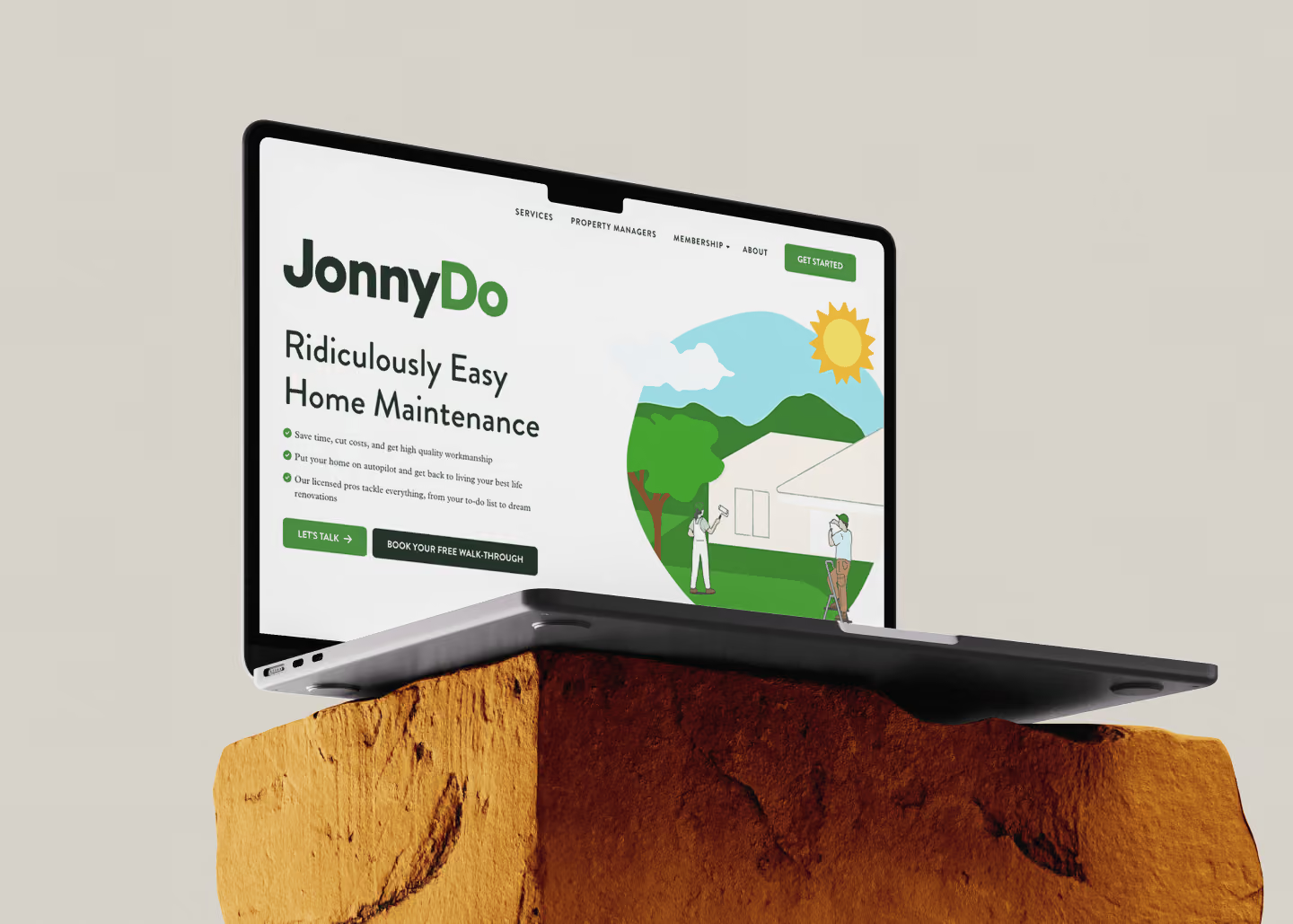
JonnyDo's designer handed us pixel-perfect Figma files, and the live site matches them. Flowlabs was in development while its designs were still being finished in Figma, and Dune Security came to us with a Webflow site and Figma files from another agency.

Pricing

Deep expertise with simple, transparent pricing

Your build gets a fixed quote after the Day 3 file audit, before the build starts.

One-time engagement

Fixed scope, fixed price

Your Figma design is built in Webflow, with each page and component listed in the quote before work starts

Starting from

$60/hour

Scope my Figma build

Hourly packages

Prepaid hours valid for a month, quarter, or year

Use them when you need them

Starting from

$900/month

Browse packages

Monthly retainers

A dedicated design and development, or SEO team embedded in your Slack

Month-to-month, cancel anytime

Starting from

$3,000/month

See retainers

webflow integrations

Your existing stack stays intact

Webflow doesn't replace your tools. It connects to them. We wire every new site to the platforms your team already runs, so your data flows cleanly from day one and nothing breaks at launch.

Start the Webflow build with a list of what your current site must carry over

Your new design is ready. Our free audit of your current site shows which URLs, forms, and SEO settings the Webflow build has to carry over.

Get a free website audit

Advantages

Why Choose Foursets as Your Figma to Webflow Agency

The people building from your Figma file should notice the moment a page drifts from it.

Designers and developers read your file together

Our Webflow developers work in the same in-house team as our designers. When the file skips a breakpoint or a hover state, a designer draws it in Figma and you approve it before it's built.

Values read from the file

Spacing, type, and color come from the specs in your Figma file, so the margins on the page start from the file's own numbers.

A site marketing edits from launch day

We build for the people who will edit the site and train them before handover. Your team publishes the next landing page without filing a ticket.

The team on the sales call builds your site

The designers and developers on your project are full-time senior Foursets employees. Your Figma file stays with one team from the first call to launch.

The same developers after launch

The team that builds your site keeps your account. Your next page gets built by people who already know your Figma file.

Staging from the first section

You get a staging link once the first section is built, and our Slack channel and ClickUp board stay open to you throughout. You compare the build with your Figma frames while changes are still cheap.

PROCESS

From an Approved Figma File to a Live Site in 16 Days

We count the days of a Figma design to Webflow build from the discovery call. A bigger site needs more days, and the quote fixes them.

DAY 1

Discovery call with Nick

Our founder Nick walks through the design with you and asks about the deadline and who will run the site. Share the Figma file before the call if you can.

DAY 3

Figma file audit and fixed quote

We go through Auto Layout, breakpoints, states, fonts, and layer names, then send a fixed quote. Where the file has gaps, our designers fill them in Figma first, and you approve them there.

DAY 5

Kickoff and onboarding

Your team joins a Slack channel with ours, and a ClickUp board shows who is on each task. We'll ask for edit or dev access to the file and for your Webflow workspace, if you have one.

DAY 7

Build starts, staging from the first section

Our Webflow developers build from the approved file, section by section. You get a staging link as soon as the first section is built.

DAY 11

Staging review

You review the full site on staging, on your own laptop and phone, and send feedback through Slack or ClickUp.

DAY 14

QA against the approved Figma frames

A web designer compares each page with the approved frames. Browsers, the most common screen sizes, forms, analytics, and PageSpeed get tested too.

DAY 16

Launch and ongoing support

The site goes live, and we watch performance and Core Web Vitals from day one. Later pages and changes go on a retainer or prepaid hours, and we stay in your Slack channel.

INDUSTRIES

B2B companies we know inside out

Each kind of company brings a different Figma file to the build and needs something different from it.
By industry:
Conferences
Speaker and agenda pages turn into CMS collections, built from the design and live before the event.
Construction
Product pages and guides for construction tech companies sit in the CMS, where the sales team can update them.
Cybersecurity
Security buyers read trust and compliance pages closely, so those pages get the same care as the homepage.
E-Commerce
Catalog and landing pages for B2B suppliers share one set of components, so a new product line takes one new page.
Fintech
A fintech buyer checks trust signals before the demo. We build them into each page, with technical SEO underneath.
Healthcare
Health tech teams that sell to enterprise buyers need forms and analytics set up with HIPAA in mind.
Tech Companies
Engineers will look under the hood of your site. Semantic markup and fast pages hold up when they do.
Venture Capital
Portfolio, team, and news pages become collections the fund updates after each deal.

AWARDS

We don't have a trophy shelf (remote company). But if we did, it'd look like this

Clutch Top Web Agency
in Poland
HubSpot Solutions
Provider
Semrush Certified
Expert
CSS Design Awards Honorable Mention x2
Webflow Premium
Partner
Awwwards Honorable Mention x2

compare

Foursets vs. the alternatives

Not all Figma to Webflow options are built the same. Here's how the choices stack up.
In-House Team
Traditional Agency
Freelancers
Onboarding
48 hours
2-3 months per hire
Weeks
Unpredictable
Management complexity
One PM, zero overhead
Daily management required
Slow account manager layer
You manage each one
Pricing
From $60/hour or $3,000/month
Salary + benefits + tools
Often $10k+/month
Unpredictable
Senior guarantee
Always
Depends on hiring
Junior handoffs common
Hit or miss
Zero outsourcing
Yes
Yes
Often subcontracts
Often subcontracts
Design + Dev + SEO
All three, in-house
Rarely all three
Rarely all three
Rarely all three
Turnaround speed
48-hour velocity
Sprint backlog
Weeks per cycle
Unpredictable
Contract flexibility
Month-to-month
Full-time headcount
6-12 month lock-in
Per project
Knowledge retention
Zero turnover
Risk of churn
PM rotations
Resets each time
Webflow partner status
Premium Partner
No
Unlikely
Unlikely
Gaps in the Figma file
Designers fill, you approve
Depends on the team
Depends on the agency
Depends on the freelancer

Testimonials

What design and marketing leads say about working with us

Handing over a Figma file means trusting someone else with the details. Read how our clients describe it.

50+

Enterprise clients signed from the website

"They have truly transformed our marketing landscape."

Drew Danner

Managing Director, BD EMERSON

Explore case study

+300%

Organic search traffic increase after redesign.

“Working with Foursets was a transformative experience for Setproduct."

Roman Kamushken

Founder, Setproduct

Explore case study

2x

ICP conversion increased.

"We are very happy with their service."

Kateryna Dmytriyeva

Growth Manager, CIM

Explore case study

35%

Lead-to-client conversion rate from website.

"They had a strong knowledge of all aspects and provided a great thought partner to execute the goals."

Jeff Reed

Founder & CEO, Momentum Studios

Explore case study

50%

Increase in qualified leads post-launch.

“Their white-glove service is impressive.”

Orit Benzaquen

CEO, Penti

Explore case study
4.9 stars, 30 reviews
Webflow Premium
Partner & Expert

A live site that matches your Figma file, on a date that holds

Before launch, our web designer compares the build with your approved Figma frames, and you review the whole site on staging. Your quote fixes the scope and the dates.

Get a fixed quote

The Stats

Proof over promises

The six figures below cover the whole company.

96.8%

On-time delivery rate since 2021. (We missed two deadlines. Still mad about them.)

48 hours

Average time from a Slack request to a live change on your site, for retainer clients.

Zero

Freelancers who can open your Figma files or your Webflow workspace. Our developers are all full-time staff.

3

Disciplines under one roof: design, development, and SEO. The designer who reads your file works in the same team as the developer who builds it.

100+

B2B clients since 2021, from 25+ countries and 13 industries.

20

Senior team members. The designers and developers on your build work with you in Slack from Day 5.

FAQ

Frequently Asked (and Honestly Answered) Questions

Can I turn my Figma design into a website?

Yes. The usual route is to build the design in a website platform such as Webflow, which adds hosting, a CMS, and SEO settings to what the file shows. Figma also offers Figma Sites, which is in open beta, and publishing a Sites project to a live domain needs a paid Figma plan. Either way, someone decides how each page behaves on each screen size and what your team can edit later.

Can I import my Figma design into Webflow?
Is the Figma to Webflow plugin output ready to publish?
Does the Figma to Webflow app cost anything?
Why does my Figma design look wrong on mobile after importing it to Webflow?
What do you need from us to start?
Will the Webflow site match our Figma design exactly?
Our Figma file isn't finished. Can you still start?
Can our marketing team edit the site after launch?
How long does a Figma to Webflow project take?
How much does Figma to Webflow development cost with Foursets?

resources hub

Sharing website expertise along the way

The latest on Webflow development, digital marketing, and web development tools from Foursets.