
Webflow Stripe Integration Built Around Your Pricing, Checkout, and Subscriptions

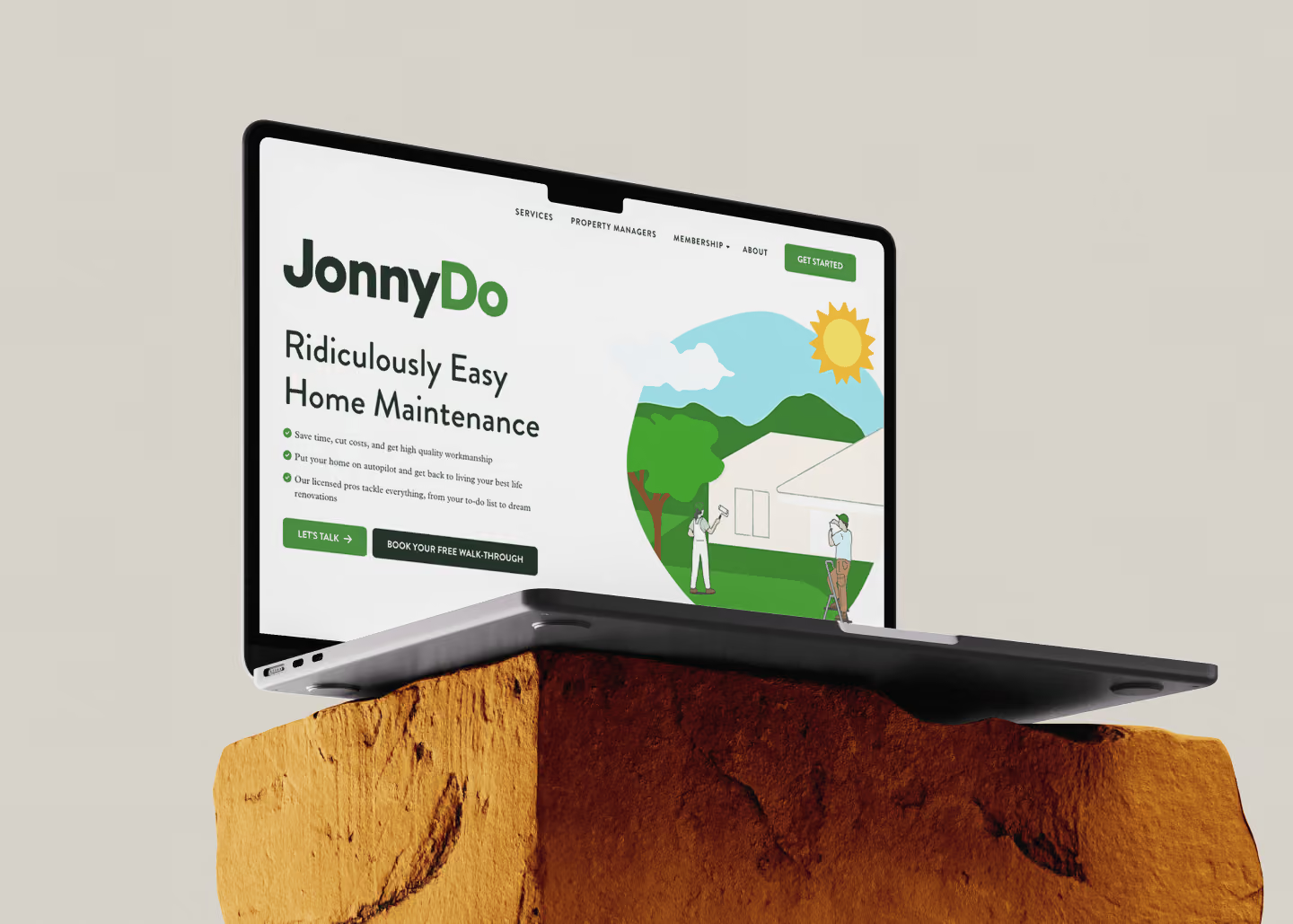
Stripe takes the money. For B2B teams on Webflow, the site still has to know who paid and what they can open next. JonnyDo, a subscription home-repair service, launched with a multi-tier Stripe checkout we built, then kept us on call for 15 months.

Trusted by 50+ B2B marketing teams across 25+ countries.

SDI Presence
Element451
Seven Hills Technology
Nectar Edge
Datastory
LulleVibes
Setproduct
Penti
Social Motion
Flowlabs
CIM
Astro Information Security
CyberCrest
Momentum Studios
BD Emerson
Ravetree
JonnyDo
Aware Technologies
SDI Presence
Element451
Seven Hills Technology
Nectar Edge
Datastory
LulleVibes
Setproduct
Penti
Social Motion
Flowlabs
CIM
Astro Information Security
CyberCrest
Momentum Studios
BD Emerson
Ravetree
JonnyDo
Aware Technologies
Webflow Stripe

Webflow Stripe

Webflow Stripe

WHO WE ARE

Your team already pays for Webflow and Stripe. The trouble sits between the two. A paid plan doesn't open the content, or a failed renewal goes unnoticed.

Foursets has designed, built, and grown Webflow websites since 2021. A senior in-house team of Webflow developers ties each payment to the access it buys. You test everything before a real card is charged.

How Stripe and Webflow work together

What Stripe is

Stripe is a payment infrastructure platform. It accepts online payments, runs subscriptions, and handles payouts between several parties. Webflow's Stripe integration page lists 135+ currencies, with fraud prevention through Stripe Radar and tax automation through Stripe Tax.

What Stripe adds to a Webflow site

With a Webflow Stripe integration, your site can take one-time payments and sell subscriptions with recurring billing. A membership tool on top lets it gate content for paying members. Buyers see Apple Pay, Google Pay, and local payment methods.

PROBLEMS > SOLUTION

Common Problems, Uncommon Webflow Stripe Integration Solutions

Challenge

Buyers who click "Buy" land on a plain Stripe page with no logo, and some of them leave.

Buyers abroad see a price in dollars and a card form, with no wallet or local method they recognize.

A customer pays for a plan, and someone on your team still unlocks the account by hand.

Customers email you to upgrade, downgrade, or cancel, and plan changes turn into manual edits in Stripe.

Payments pass in the sandbox and then fail in live mode, or a failed renewal goes unnoticed for a month.

Our Solution

We brand the hosted checkout with your logo and colors and send buyers back to your own confirmation page. When the redirect is the problem, we move checkout into your page with Stripe's embedded Checkout page or embedded Checkout form.

We switch on the wallets and local payment methods Stripe supports for your checkout. On Checkout and Payment Links, Stripe's Adaptive Pricing shows local currency to customers in 150+ countries, and the buyer pays a 2–4% conversion fee built into that price. It isn't available for Elements built on the Payment Intents API, and cross-border subscriptions support only cards, Link, Apple Pay, and Google Pay.

In a Webflow Stripe integration built on webhooks, each Stripe payment event updates your CMS or membership tool, so access follows the payment.

We set up the Stripe Customer Portal, where customers update their card, cancel, download invoices, and switch between single-product plans themselves.

We check that Stripe has verified your business and recreate Payment Links in live mode before launch. Smart Retries and reminder emails then chase failed renewals.

WEBFLOW EXPERT & PARTNER

Webflow experts, Premium Partners, and template authors, all in one team.

Foursets holds three Webflow credentials: certified Webflow experts since 2019, official Webflow template authors, and a Webflow partner at the Premium tier, the highest level in Webflow's partner program outside of Enterprise. On a mission to become a Webflow Enterprise Partner.

Vetted Webflow expertise

Webflow reviewed our builds before certifying us, and the code on your checkout pages meets the same bar.

Priority support

When a platform limit blocks a payment flow, we escalate it to Webflow's partner team.

Platform depth

CMS collections, code embeds, and the Webflow API are daily work, so payment data can land straight into your CMS.

Six ways to build a Webflow Stripe checkout

Your pricing model decides which of the six ways to integrate Stripe with Webflow fits.

Native Webflow Ecommerce checkout

Stripe is the payment gateway behind Webflow's own cart and checkout. You need an Ecommerce plan, and you connect Stripe to Webflow in the Ecommerce settings. Webflow's pricing page lists a 2% transaction fee on Standard and none on Plus and Advanced. It suits product catalogs. Subscriptions needed User Accounts, which Webflow switched off on January 29, 2026, per its User Accounts sunset notice.

Payment Links, the Buy Button, and the Stripe app

Payment Links, the Buy Button, and the Stripe app in the Webflow Marketplace all send buyers to a checkout page Stripe hosts. Webflow's guide calls Payment Links the fastest path to a working checkout for most builders and service providers, and covers them and the Buy Button on any paid Site plan. Teams that sell services or one-off items use them as a quick way to add Stripe to Webflow. Buyers still leave your site to pay, and there's no cart.

Stripe Checkout embedded with custom code

Stripe Checkout can also sit inside your page, so buyers pay without a redirect. It comes in two versions: the full Checkout page, which Stripe recommends and which can be hosted or embedded, and the embedded Checkout form, which Stripe lists as a public preview. It fits teams that want Stripe's checkout on their site and works on any paid Site plan. A Webflow site's own hosting runs no server code, so each checkout session needs a serverless function on Webflow Cloud (Webflow's separate app hosting) or another host.

Custom checkout with Stripe Elements

Elements are Stripe's components for a payment form built into your own design. They suit SaaS pricing pages with seat counts or add-ons inside the checkout. The build needs the same serverless function and works on any paid Site plan. Stripe's checkout comparison rates Elements as its most complex option. For a marketplace built on Webflow, Stripe Connect splits each payment between the platform and its sellers.

Zapier, Make, or n8n automations

An automation tool listens for Stripe events and acts on them in Webflow or your other apps. Successful Stripe payments can create a CMS item, which needs a Site plan with the CMS, such as Webflow's Premium plan. Zapier's New Payment trigger fires once a payment is completed, so the tool can't change what the buyer sees at checkout.

Memberstack or Outseta for memberships

A membership tool adds logins, gated pages, and paid plans to Webflow, with Stripe processing the payments. Webflow recommends both for sites that relied on User Accounts. They fit courses and member portals, and each tool has its own pricing on top of your Site plan. Member data and logins then live in that tool.

One-off sales start well on Payment Links, and subscriptions run on Stripe Billing with the Customer Portal or a membership tool. If you're still choosing a processor, our Webflow payment integration guide covers Stripe and PayPal.

Our Services

What goes into our Stripe Webflow integration

We scope Stripe Webflow integrations route by route and build only the parts below that your route needs.

(1/8)

Custom checkout UI

Your checkout carries your brand and asks buyers only for what the order needs. Stripe can host it, or we build it into your page with Elements. Elements keep card details off your server.

(2/8)

Subscriptions and recurring billing

We model your plans in Stripe Billing, with trials, seat-based or usage-based pricing, and proration when a customer switches tiers.

(3/8)

Customer portal

Customers manage subscriptions on their own in Stripe's Customer Portal instead of emailing you. Plans with several products or usage-based billing can be canceled there but not changed.

(4/8)

Webhooks and Webflow CMS sync

Stripe events write into your Webflow CMS, so plan names, order status, and member records stay current without a spreadsheet.

(5/8)

Access control for gated content

Paid members see the gated pages their plan includes. Access closes when the subscription ends, with no manual cleanup.

(6/8)

Tax, currencies, and wallets

We switch on Stripe Tax, so tax on each order is calculated for you. Buyers pay by wallet or local method in the 135+ currencies Webflow's Stripe page lists.

(7/8)

Fraud rules and 3D Secure

We set up Stripe Radar's fraud screening and 3D Secure for European cards, so fraud checks run without your team.

(8/8)

Sandbox to live handover

We test every flow with Stripe's test cards and recreate Payment Links in live mode, so the first real payment runs the way the tests did.

Case Studies

Don't take our word for it, look at the results

Here are six Webflow builds, starting with the multi-tier Stripe checkout we built for JonnyDo. Each card opens the full case study.

Pricing

Deep expertise with simple, transparent pricing.

One-time engagement

Fixed scope, fixed price

A full website redesign, migration, or SEO audit with everything defined upfront

No surprises on the invoice

Starting from

$60/hour

Scope my Stripe project

Hourly packages

Prepaid hours valid for a month, quarter, or year

Use them when you need them

Starting from

$900/month

Browse packages

Monthly retainers

A dedicated design and development, or SEO team embedded in your Slack

Month-to-month, no lock-in contracts

Starting from

$3,000/month

See retainers

webflow integrations

Your existing stack stays intact

Webflow doesn't replace your tools. It connects to them. We wire every new site to the platforms your team already runs, so your data flows cleanly from day one and nothing breaks at launch.

Buyers paying on a page that looks nothing like your site?

Nick Rybak

Nick Rybak

Founder & CEO

Send us your pricing and your current checkout. We'll map the route that fits and send a fixed quote for the build.

Talk to us about Stripe
Nick Rybak

Nick Rybak

Founder & CEO

Advantages

Why Choose Foursets for Your Webflow Stripe Integration

We replaced the standard agency "trust me, bro" model with radical transparency and zero hidden risks.

Your pricing is mapped before the checkout is built

We start by mapping each of your tiers to a Stripe product and each package to an add-on, proration included. JonnyDo's three plans went through this before any code.

The Stripe account stays in your name

Keys, products, and payouts live in a Stripe account your company controls, as Webflow's own setup guide advises for client work. We work inside it with the access you grant.

The team that launches it stays on call

After launch, Stripe work arrives in small pieces, like a new tier one month and a webhook tweak the next. JonnyDo kept the same developers on hourly packages for that work.

New prices go live from the Stripe Dashboard

On the Payment Links route, your team makes a new link in the Stripe Dashboard and pastes it onto a Webflow button, with no code. We set up your pricing pages so marketers can make that swap without a developer.

48 hours on average from request to live change

On a retainer, a new plan or a checkout tweak goes from a Slack message to a live URL in 48 hours on average.

You see every step in Slack and ClickUp

From kickoff, your team and ours work in one Slack channel and one ClickUp board. Staging links let you test each flow yourself before anything reaches live mode.

PROCESS

From the first call to live payments in five days

The build takes five days from the discovery call, and your fixed quote on Day 2 confirms the timeline for your route.

DAY 1

Discovery call with Nick

You talk to Nick, our founder, about what you sell, how you price it, and where payments or access break today.

DAY 2

Route, pricing map, and fixed quote

You get the route we recommend, a map of your plans to Stripe products, and a fixed quote for the work.

DAY 3

Kickoff and sandbox

Your team joins a shared Slack channel and ClickUp board. We set up a Stripe sandbox.

DAY 4

Checkout, billing, and CMS build

We build the checkout, subscription plans, and Customer Portal in the sandbox, with progress posted in Slack. Then we wire Stripe events to your CMS or membership tool, so a payment opens access.

DAY 5

Test cards, then live payments

We run every checkout flow with Stripe's test cards, including ones that simulate a decline. You test the same flows on staging. Then we go live. We recreate Payment Links in live mode and watch the first real payments.

DAY 6+

Post-launch continuity

You receive a written record of the Stripe setup: products, webhooks, and who owns each credential. The same Slack channel stays open to your team, and new tiers or fixes run through a retainer or an hourly package.

INDUSTRIES

B2B companies we know inside out

Each industry takes payments a little differently. Here's what a Stripe setup has to handle in each one.
By industry:
Conferences
Event teams sell tickets and sponsorships through Stripe against a fixed launch date.
Construction
Construction tech companies take deposits or subscription payments for their software.
Cybersecurity
Security buyers ask where card data goes before they sign, so your checkout route becomes part of the pitch.
E-Commerce
B2B suppliers and DTC brands weigh Webflow's native cart against a Stripe-hosted checkout.
Fintech
Regulated teams need payment flows and records that hold up in an audit.
Healthcare
Health tech companies take payments for software and keep patient data away from the checkout.
Tech Companies
Technical buyers judge your checkout by the standard their own engineering team works to.
Venture Capital
Funds with paid events or programs take registrations on the Webflow site their LPs already visit.

AWARDS

We don't have a trophy shelf (remote company). But if we did, it'd look like this.

Clutch Top Web Agency
in Poland
HubSpot Solutions
Provider
Semrush Certified
Expert
CSS Design Awards Honorable Mention x2
Webflow Premium
Partner
Awwwards Honorable Mention x2

Testimonials

Before you hand us your checkout, hear from our clients

You'll want to know how a team works before it touches your payments. Here's how founders and marketing leads describe working with ours.

50+

Enterprise clients signed from the website

"They have truly transformed our marketing landscape."

Drew Danner

Managing Director, BD EMERSON

Explore case study

+300%

Organic search traffic increase after redesign.

“Working with Foursets was a transformative experience for Setproduct."

Roman Kamushken

Founder, Setproduct

Explore case study

2x

ICP conversion increased.

"We are very happy with their service."

Kateryna Dmytriyeva

Growth Manager, CIM

Explore case study

35%

Lead-to-client conversion rate from website.

"They had a strong knowledge of all aspects and provided a great thought partner to execute the goals."

Jeff Reed

Founder & CEO, Momentum Studios

Explore case study

50%

Increase in qualified leads post-launch.

“Their white-glove service is impressive.”

Orit Benzaquen

CEO, Penti

Explore case study
4.9 stars, 30 reviews
Webflow Premium
Partner & Expert

Renewals failing quietly while the checkout looks fine?

Tell us how you run Webflow with Stripe today and where it breaks: sign-ups, renewals, access, or refunds. We'll talk it through and send a fixed quote with a timeline.

Get a fixed quote

The Stats

The track record behind your checkout

These figures describe Foursets as a whole company.

96.8%

On-time delivery rate since 2021. (We missed two deadlines. Still mad about them.)

48 hours

On average, from a Slack message to a new tier, price, or webhook fix live on your site, on a retainer.

Zero

Freelancers with access to your Stripe keys or customer records. Every developer is a full-time Foursets employee.

3

In-house disciplines: design, development, and SEO. Your pricing page and its checkout come from one team.

100+

B2B clients in 25+ countries and 13 industries.

20

Senior team members. The developers who build your checkout join your Slack channel at kickoff.

OTHER SERVICES

Other services

Stripe is one part of your site. Our team also designs, builds, moves, and grows the rest of it.

FAQ

Frequently Asked (and Honestly Answered) Questions

Can I use Stripe on Webflow without Webflow Ecommerce?

Yes. Webflow's Stripe Checkout guide says the Ecommerce plan is only required for its native cart and checkout. Payment Links, the Buy Button, the Stripe app, an embedded Checkout, and Memberstack all work without it. To accept payments, you need a verified Stripe account and a paid Site plan.

What is the difference between Webflow Ecommerce and Stripe Checkout or Payment Links?
Does Webflow support subscriptions and recurring payments?
Are there extra fees on top of Stripe's?
Which payment methods, currencies, and countries are supported?
Is Stripe on Webflow secure and PCI compliant?
Can the checkout stay on my own site instead of redirecting to Stripe?
How are refunds and cancellations handled?
Can we test payments before going live?
How much does a Webflow Stripe integration with Foursets cost, and how long does it take?

resources hub

Reading for your next payments project

Guides and breakdowns from our team on payments, CMS work, and the rest of the Webflow stack.