
Shopify and Webflow for Brands That Have Outgrown Their Shopify Theme

Keep Shopify for products, cart, and checkout, and run your brand site on Webflow, where marketing publishes pages without a Liquid developer. We connect Shopify and Webflow so product data stays in sync and the checkout feels like part of your site.

Trusted by 50+ B2B marketing teams across 25+ countries.

SDI Presence
Element451
Seven Hills Technology
Nectar Edge
Datastory
LulleVibes
Setproduct
Penti
Social Motion
Flowlabs
CIM
Astro Information Security
CyberCrest
Momentum Studios
BD Emerson
Ravetree
JonnyDo
Aware Technologies
SDI Presence
Element451
Seven Hills Technology
Nectar Edge
Datastory
LulleVibes
Setproduct
Penti
Social Motion
Flowlabs
CIM
Astro Information Security
CyberCrest
Momentum Studios
BD Emerson
Ravetree
JonnyDo
Aware Technologies
Webflow Shopify

Webflow Shopify

Webflow Shopify

WHO WE ARE

Foursets is a Webflow agency that has designed and built B2B websites since 2021. Design, Webflow development, and SEO all run inside one senior in-house team, and Webflow lists us as a Premium Partner.

For brands that sell through Shopify, we set up the Webflow and Shopify integration. Your marketing team edits pages in the Webflow Designer. Your commerce team keeps running products, orders, and checkout in Shopify admin, and neither team has to learn the other's tool.

Connect Webflow to Shopify and Keep Checkout, Stock, and Orders in One Place

What Shopify is

Shopify is a hosted e-commerce platform. It handles products, stock, payments, shipping, and fulfillment, online and in stores. Webflow's Shopify integration page notes that Shopify's hosted checkout is certified at PCI DSS Level 1.

What Shopify adds to a Webflow site

Webflow keeps the design and the content. Shopify takes the products, cart, checkout, and orders. Your Webflow site sells Shopify products with no Shopify theme involved, and card details stay on Shopify's side.

PROBLEMS > SOLUTION

Common Problems, Uncommon Shopify Storefront Solutions

Challenge

Our store looks like a hundred other Shopify stores, and each new campaign page waits for a Liquid developer.

The Buy Button sits on our Webflow page in its own box, with fonts and colors that clash with the rest of the site.

Someone types products, prices, and stock into Shopify and then again into the Webflow CMS, and the two drift apart.

Our ads send buyers to the site, but purchases in Shopify checkout never reach GA4 or Meta, so we can't tell which campaign sold.

The connection broke months after launch, and no one on our team knows how it was built.

Our Solution

Your brand site runs on Webflow, where your marketers build and publish pages themselves. Shopify stays behind it for products and checkout.

We style the Buy Button in Shopify to your palette. When that isn't enough, we code a cart into your page that uses your own Webflow classes.

A sync app or Shopify webhooks write your Shopify products into the Webflow CMS. Live stock is read from Shopify each time a page loads.

We set up tracking on both sides of the redirect, so each sale lands against the campaign that brought it.

We build new carts on Shopify's Cart API, which replaced the Checkout API that Shopify shut down on April 1, 2025. At handover you get a written map of each app, key, and account.

WEBFLOW EXPERT & PARTNER

Webflow experts, Premium Partners, and template authors, all in one team

Foursets holds three Webflow credentials: certified Webflow experts since 2019, official Webflow template authors, and a Webflow partner at the Premium tier, the highest level in Webflow's partner program outside of Enterprise. On a mission to become a Webflow Enterprise Partner.

Vetted Webflow expertise

Webflow checked the quality of our client sites when it certified us, and we build your product pages to that bar.

Priority support

A Webflow limit that blocks a cart or a sync reaches Webflow's partner team directly.

Platform depth

Our developers work daily with the Webflow Data API, Code Embeds, and CMS collections, the three parts a Shopify connection runs on.

Six Ways to Integrate Shopify With Webflow and the Limit You Hit With Each

The first five methods run on a paid Webflow site plan with custom code, and none of them requires Webflow Ecommerce.

1. Shopify Buy Button in a Code Embed

In Shopify admin, you add the Buy Button sales channel, pick a product or collection, and copy its embed code snippet into a Code Embed element in Webflow. It suits a few products on pages you already have, such as a launch landing page. The button renders in an iframe, so it can't use your Webflow CSS. Changing its style means creating a new button in Shopify, and the button only appears on the published site.

2. Dynamic Buy Buttons through the Webflow CMS

For a catalog, each CMS item gets a plain text field for its Shopify product ID. A dynamic embed on the Collection page template reads that field and loads the right button on each product page. It fits catalogs where one layout works for all products. If the product ID isn't bound to the field, all the buttons on the template sell the same product. CMS item limits depend on your Webflow plan, and Premium includes 20,000 items.

3. Sync apps from Storesynk, Smootify, or Looop

Three third-party bridges connect the platforms: Storesynk (formerly Shopyflow), Smootify, and Looop. You install each one from the Shopify App Store, and it adds cart behavior to your Webflow elements. On their paid plans, the apps read stock from Shopify when the page loads, so buyers see live availability. Each is free on a webflow.io address, and a paid plan for your own domain starts at $15 a month (Smootify, yearly billing). Automatic sync into a Webflow Collection is a paid feature on Storesynk and Smootify, and a custom cart still needs a developer.

4. Zapier, Make, or viaSocket automations

An automation tool waits for an event on one platform and acts on the other. A new Shopify product can create a CMS item, and a Webflow form submission can create a Shopify customer. It works for catalog and order updates that don't have to be instant. Live stock calls for a sync app or the API route below.

5. A headless build on the Storefront API

Your Webflow pages call Shopify's Storefront API for product data and the cart, and Shopify webhooks keep the Webflow CMS current. Shopify's Cart API builds the cart and returns the link to Shopify checkout. The webhook handler needs server code, which runs on Webflow Cloud or on a host of your own. Shopify shut down its Checkout API on April 1, 2025, so older builds have to move to the Cart API. This method suits large catalogs and custom carts.

6. Udesly, a Webflow design converted into a Shopify theme

You export your Webflow project, and Udesly converts it into a Shopify theme. After the conversion the site lives in Shopify, and your team manages it in Shopify's admin. It's the route for a team that wants to leave Webflow. For a marketing site your team runs in Webflow, we recommend one of the first five.

A handful of products starts well on the Buy Button. A catalog your marketers want to design around needs a sync app or the API, and catalog size and how custom the cart has to be decide between them.

Our Services

A Shopify Webflow Integration That Keeps Products, Prices, and Stock in Sync

We build only the parts your method needs, from a styled Buy Button to a full product sync.

(1/8)

Method and plan check

We match your catalog to one of the six methods and list the Webflow plan, the Shopify plan, and the app fees on top. You see the monthly running cost before the build starts.

(2/8)

Product catalog in the Webflow CMS

Collections, variants, product ID fields, and Collection pages your marketers edit themselves. We structured a Webflow CMS product catalog for Setproduct, whose marketing specialist now publishes new products without a developer.

(3/8)

Product sync

A sync app or Shopify webhooks keep product names, prices, and images in step with Shopify. Live stock loads from Shopify, through the app or the API, when a buyer opens the page.

(4/8)

Cart and checkout handoff

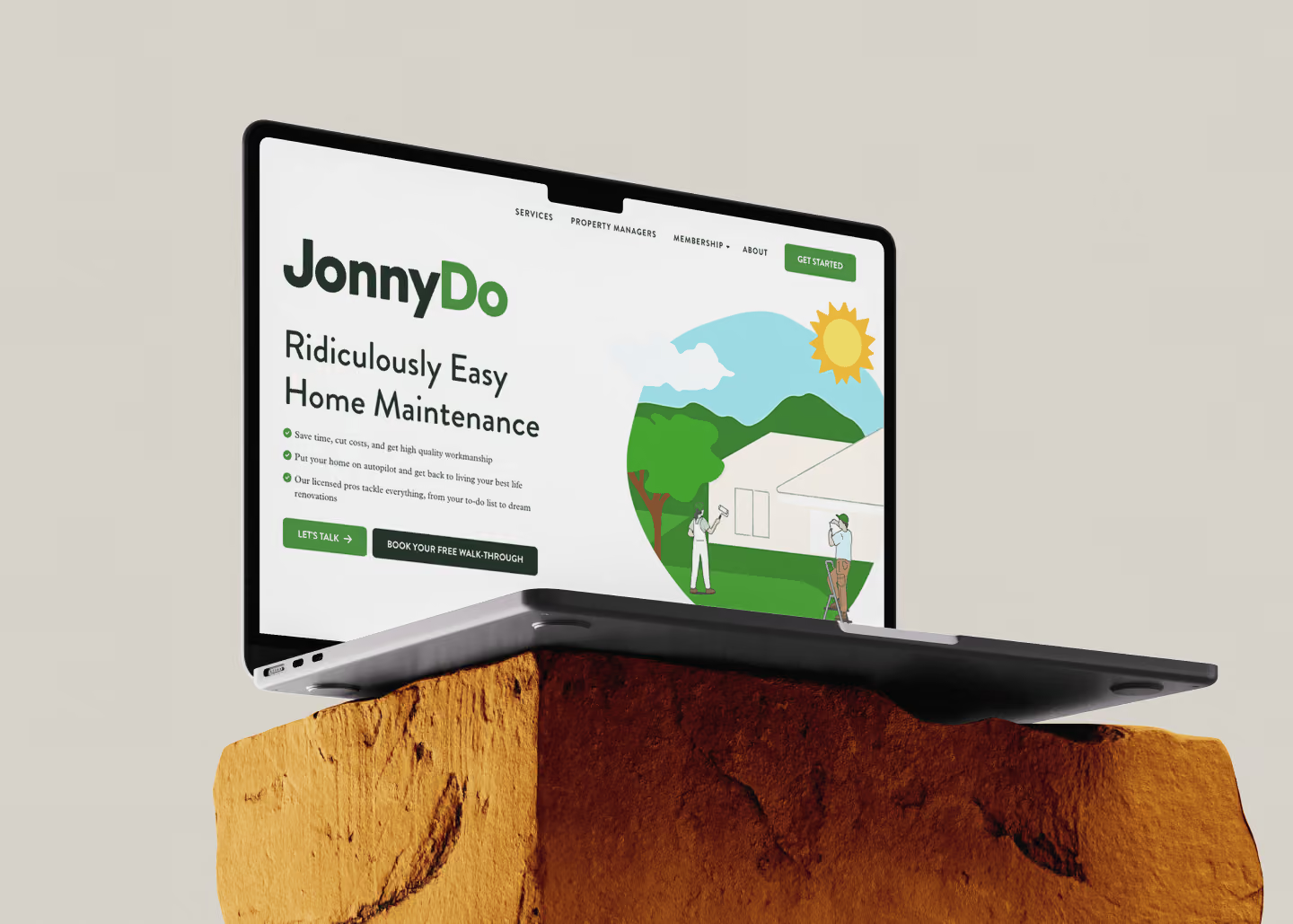
A styled Buy Button, or a Cart API cart that hands buyers to Shopify checkout. For JonnyDo, we built a multi-tier Stripe checkout with recurring subscriptions into its Webflow site.

(5/8)

Tracking across both domains

GA4, Meta Pixel, and Conversions API events fire on your Webflow page and in Shopify checkout. The identifiers pass across the redirect, so each purchase shows up against its campaign.

(6/8)

SEO for product pages

Clean URLs, meta titles and descriptions, and Product schema on your Webflow product pages, so Google can read each product's price and stock status as Shopify reports them.

(7/8)

Test orders before launch

We place test orders along each path, from product page to cart to checkout, before a real buyer reaches the store.

(8/8)

Handover and documentation

A written map of what connects to what, who owns each account and key, and what to do when an app changes its plan.

Case Studies

Don't take our word for it, look at the results

Six projects from our portfolio, four of them in commerce, with the numbers they produced. Click a card for the details.

Pricing

Deep expertise with simple, transparent pricing

Your store connection gets a fixed quote on Day 2, after we've audited your catalog and stack.

One-time engagement

Fixed scope, fixed price

Your quote names the method, the sync, the cart, and the tracking, and the scope holds from Day 2

Starting from

$60/hour

Scope my Shopify setup

Hourly packages

Prepaid hours valid for a month, quarter, or year

Use them when you need them

Starting from

$900/month

Browse packages

Monthly retainers

A dedicated design and development, or SEO team embedded in your Slack

Month-to-month, cancel anytime

Starting from

$3,000/month

See retainers

webflow integrations

Your existing stack stays intact

Webflow doesn't replace your tools. It connects to them. We wire every new site to the platforms your team already runs, so your data flows cleanly from day one and nothing breaks at launch.

Product Pages Your Team Publishes in Webflow, With Live Stock From Shopify

Nick Rybak

Nick Rybak

Founder & CEO

Our free audit looks at your Shopify store and your Webflow site. You get the method that fits and what it will cost to run each month.

Audit my store and site
Nick Rybak

Nick Rybak

Founder & CEO

Advantages

Why Choose Foursets for Your Shopify Store on Webflow

You're trusting us with the path your buyers take to checkout.

We pick the method before anything is built

The choice rests on your catalog size, how live your stock has to be, and how custom the cart is. You approve it before the build starts.

Your accounts stay in your name

The Shopify store, the Webflow site, and each app subscription belong to your company. We work inside them with the access you grant.

We know the Shopify side too

For Bay Rag, we built a B2B portal on Shopify with wholesale pricing tiers and PO ordering, on top of the Wholesale Hub app. Your Shopify admin is familiar ground for our developers.

The same team stays on call after launch

Apps change their plans, and Shopify retires APIs. The developers who built your connection keep your account and handle those changes when they come.

A live change 48 hours after you ask

On a retainer, tasks such as a new product template or a tracking fix go live 48 hours after your Slack message, on average.

Senior in-house developers in your Slack

Senior Foursets developers build your Webflow pages and the connection from start to finish. From kickoff, you follow their work in a shared Slack channel and ClickUp board.

PROCESS

From the First Call to a Synced Store in Five Days

Five days covers methods 1 to 4 on a Webflow site you already have. A headless build gets its own timeline in the Day 2 quote, and a store that still needs a Webflow site starts with Webflow development.

DAY 1

Discovery call with Nick

Nick, our founder, asks about your catalog, your Shopify plan, and where the current setup breaks, from product data to tracking.

DAY 2

Catalog and stack audit, method, fixed quote

We review your Shopify store, your Webflow site, and your tracking. You get the method we recommend, the plans and app fees it needs, and a fixed quote.

DAY 3

Kickoff and product data map

You get a shared Slack channel and ClickUp board with our team. We map each Shopify field to a Webflow CMS field and agree which data syncs and which loads live.

DAY 4

Build on staging

We set up the CMS collections, the sync, the cart, and the tracking on staging, and you follow progress in Slack.

DAY 5

Test orders, then go live

We run test orders along each path, and you repeat them yourself on staging. Then the store goes live, and we watch the first real orders come in.

DAY 6+

Documentation and support

You receive the handover document. The Slack channel stays open, and later changes use your retainer or prepaid hours.

INDUSTRIES

B2B companies we know inside out

What a company sells, and to whom, changes what its store has to do.
By industry:
Conferences
Branded merchandise sells from the same Webflow site that carries the agenda and the speakers.
Construction
Suppliers and construction tech companies list equipment and parts in the Webflow CMS and take orders through Shopify.
E-Commerce
DTC brands and B2B suppliers keep Shopify for orders and give their catalog a Webflow design their theme couldn't reach.
Tech Companies
Hardware makers publish detailed product pages in Webflow and leave stock and fulfillment to Shopify.

AWARDS

We don't have a trophy shelf (remote company). But if we did, it'd look like this

Clutch Top Web Agency
in Poland
HubSpot Solutions
Provider
Semrush Certified
Expert
CSS Design Awards Honorable Mention x2
Webflow Premium
Partner
Awwwards Honorable Mention x2

Testimonials

What founders and marketing leads say about our team

Your checkout is where the revenue lands. Here's how our clients describe working with our team.

50+

Enterprise clients signed from the website

"They have truly transformed our marketing landscape."

Drew Danner

Managing Director, BD EMERSON

Explore case study

+300%

Organic search traffic increase after redesign.

“Working with Foursets was a transformative experience for Setproduct."

Roman Kamushken

Founder, Setproduct

Explore case study

2x

ICP conversion increased.

"We are very happy with their service."

Kateryna Dmytriyeva

Growth Manager, CIM

Explore case study

35%

Lead-to-client conversion rate from website.

"They had a strong knowledge of all aspects and provided a great thought partner to execute the goals."

Jeff Reed

Founder & CEO, Momentum Studios

Explore case study

50%

Increase in qualified leads post-launch.

“Their white-glove service is impressive.”

Orit Benzaquen

CEO, Penti

Explore case study
4.9 stars, 30 reviews
Webflow Premium
Partner & Expert

One Store Where Your Webflow Design and Shopify Checkout Feel Like the Same Site

Your products stay in sync, the checkout carries your brand, and each sale reaches your analytics. It starts with a free audit of your store and site.

Get my free audit

The Stats

Proof over promises

Company-wide numbers, counted since 2021.

96.8%

On-time delivery rate since 2021. (We missed two deadlines. Still mad about them.)

48 hours

On average, between a Slack request and the change going live on your site, for retainer clients.
Zero

Outsourced freelancers on your project. The developers on it all work for Foursets full time.

3

Disciplines on one in-house team. Design, development, and SEO cover your product pages, the connection behind them, and their search setup.

100+

Clients in 25+ countries and 13 industries.

20

Senior team members. Your project's developers are in your Slack channel from Day 3.

FAQ

Frequently Asked (and Honestly Answered) Questions

Can you use Webflow with Shopify?

Yes. Shopify runs the store behind the scenes, and Webflow runs the pages your visitors see. How you connect the two depends on how many products you sell and how custom the cart has to be. The six methods above range from one embedded button to a headless build, and each one that takes orders sends buyers to Shopify's checkout.

Can Webflow integrate with Shopify on its own, or do I need an app?
Do I need a Webflow Ecommerce plan to use Shopify?
Should I use Webflow Ecommerce, Shopify alone, or both?
How do I add Shopify checkout to a Webflow site?
How do Shopify products, prices, and stock stay in sync with the Webflow CMS?
Will GA4 and Meta Pixel track buyers from Webflow into Shopify checkout?
Can I move my Webflow site to Shopify instead?
Can the Shopify Buy Button match my Webflow design?
Can one team handle Webflow, Shopify, and our CRM, and what does it cost?

resources hub

More reading on payments and the Webflow CMS

Guides written by our developers and SEO specialists.